Struggling to find the perfect spot for your hard drive and modem in your home office? You’re not alone.
Cluttered desks and tangled wires can slow you down and steal your focus. But what if you could organize your space in a way that boosts your productivity and keeps everything within easy reach? You’ll discover smart, simple solutions to place your hard drive and modem so your workspace feels neat, efficient, and stress-free.
Keep reading—you’re just a few steps away from transforming your home office into a place where you can truly thrive.

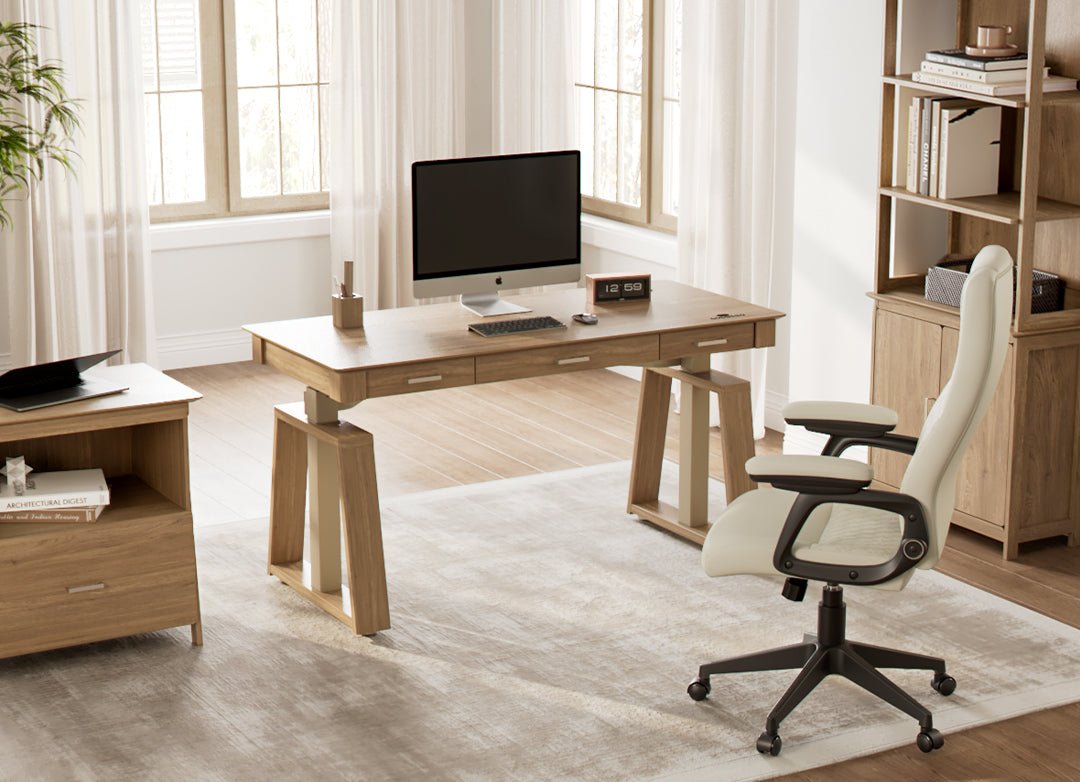
Credit: organizenvy.com
Choosing The Right Location
Placing your hard drive and modem correctly in a home office is important. The right spot helps keep devices safe and working well.
Think about access, cooling, and avoiding signal problems when picking the place.
Accessibility Considerations
Choose a spot where you can easily reach your hard drive and modem. This helps when you need to plug in cables or restart devices.
- Place devices near power outlets
- Keep cables organized and untangled
- Use shelves or desks with enough space
- Avoid hard-to-reach corners or high shelves
Ventilation And Cooling Needs
Hard drives and modems produce heat while working. Good airflow stops them from overheating.
| Device | Recommended Ventilation |
| Hard Drive | Keep in open space, avoid stacking |
| Modem | Place on flat surface with air around |
Avoiding Interference
Other electronics can cause signal issues. Keep your modem and hard drive away from such devices.
Common sources of interference:
- Microwaves
- Wireless phones
- Bluetooth devices
- Large metal objects
Desk Placement Strategies
Organizing hard drives and modems in a home office helps keep your workspace tidy. Proper placement also improves device cooling and access.
Choosing the right spot for your tech devices depends on your desk layout and personal needs. This guide covers practical ways to place them.
Under Desk Mounting Options
Mounting hard drives or modems under your desk saves surface space. This method keeps devices out of sight but easy to reach.
- Use metal brackets or shelves to hold devices securely
- Make sure devices have good airflow to avoid overheating
- Place devices near power outlets and cable connections
- Label cables for easier identification and maintenance
Using Desk Drawers
Desk drawers can hide hard drives and modems while protecting them from dust. Keep cables organized inside the drawer.
| Tip | Details |
| Ventilation | Leave space for air to flow around devices |
| Cable Management | Use clips or ties to route cables neatly |
| Drawer Size | Choose a drawer large enough for your equipment |
| Accessibility | Place devices in front for quick access |
Surface Placement Tips
Placing devices on your desk surface keeps them visible and easy to reach. Organize them to reduce clutter and improve workflow.
- Keep modems near the router for stronger signals
- Place hard drives on stands to improve airflow
- Use cable trays or clips to keep wires off the desk
- Avoid stacking devices to prevent overheating
Shelving And Storage Solutions
Keeping your hard drive and modem organized is important for a neat home office. Proper storage can save space and reduce clutter.
Using the right shelves and storage options helps protect your devices and keeps cables tidy. It makes your workspace more efficient.
Wall-mounted Shelves
Wall-mounted shelves hold your hard drive and modem off the desk. They free up workspace and keep devices visible and accessible.
Choose sturdy shelves that can support the weight of your equipment. Place them near power outlets to avoid long cables.
- Save desk space by using vertical wall space
- Keep devices safe from spills and dust
- Easy to access and maintain your hardware
Modular Storage Units
Modular storage units offer flexible compartments for your hard drive and modem. You can adjust shelves or drawers as needed.
These units help organize multiple devices and accessories in one place. They fit well in small or large office spaces.
- Customizable to fit different device sizes
- Keep everything in one neat area
- Easy to expand with additional modules
Cable Management Systems
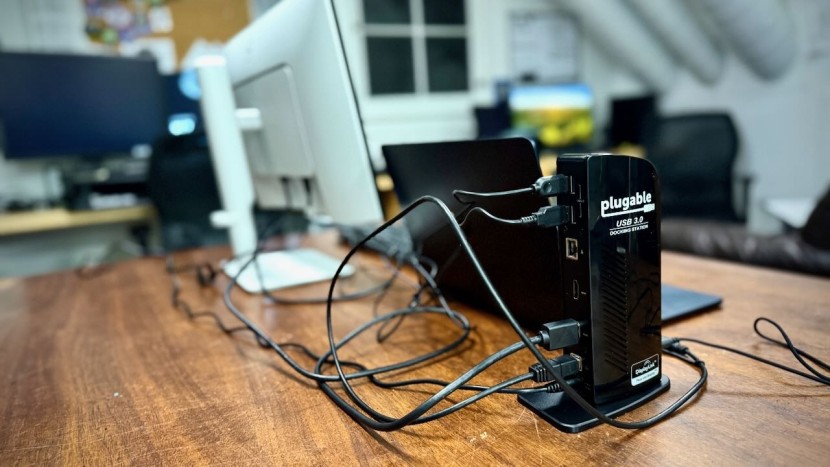
Cable management systems keep cords from your hard drive and modem organized. They prevent tangles and reduce tripping hazards.
Use clips, sleeves, or trays to bundle cables together. This also makes cleaning and moving your devices easier.
- Use cable clips to guide wires along walls or desks
- Wrap excess cable length with Velcro straps
- Use cable trays under desks to hide cords
Credit: www.techgearlab.com
Optimizing Network Performance
Placing your hard drive and modem correctly helps improve your home office network. Good placement reduces slow connections and signal drops.
Organizing devices also keeps your workspace tidy and easy to manage. This guide covers modem placement and signal improvement tips.
Modem Positioning For Signal Strength
Put your modem in a central spot in your home office. This helps the signal reach all areas evenly.
Keep the modem off the floor and on a high shelf or desk. This reduces interference from furniture and walls.
- Place modem away from metal objects
- Avoid corners and enclosed spaces
- Keep modem visible and open
Reducing Signal Blockages
Walls and large objects can block Wi-Fi signals. Make sure the modem has a clear path to your devices.
Use cable management to keep wires neat. Tangled cords can cause signal loss and make cleaning hard.
- Move modem away from thick walls
- Keep it away from microwaves and cordless phones
- Use wireless devices to reduce cable clutter
Using Range Extenders Effectively
Range extenders help spread Wi-Fi in bigger spaces. Place them where the signal is still strong.
Avoid putting extenders too far from the modem. A weak signal there will not improve your network.
- Place extender halfway between modem and far devices
- Keep extenders away from thick walls
- Use the same network name (SSID) for easy connection
Safety And Security Measures
Organizing hard drives and modems in your home office needs care. Safety and security keep your devices working well.
Good placement stops damage and stops others from accessing your data. Follow simple tips to protect your devices.
Protecting Devices From Damage
Place hard drives and modems on sturdy shelves or desks. Avoid spots near water or heat sources.
Use cases or covers to guard devices from dust and accidental spills. Keep cables tidy to avoid trips and pulls.
- Keep devices away from direct sunlight
- Use padded mats or stands under devices
- Do not stack heavy items on hard drives
- Arrange cables with clips or ties
Securing Against Unauthorized Access
Place modems and hard drives where only you or trusted people can reach them. Lock drawers or cabinets if possible.
Use strong passwords on devices that allow it. Regularly update passwords and device software to prevent hacks.
- Use lockable storage for devices
- Set strong, unique passwords
- Update firmware and software often
- Limit physical access to devices
Fire Safety Tips
Keep modems and hard drives away from flammable materials. Do not overload power outlets or extension cords.
Use surge protectors to avoid electrical fires. Turn off devices when not in use for long periods.
- Do not place devices on paper or fabric
- Use certified surge protectors
- Keep cords untangled and in good condition
- Turn off devices overnight or when away
Credit: medium.com
Aesthetic And Ergonomic Tips
Organizing your home office can boost productivity and comfort. A well-placed hard drive and modem help maintain a tidy space.
Consider aesthetics and ergonomics to create a pleasant and efficient work environment. Let's explore some tips.
Maintaining A Clean Look
A clutter-free office feels more inviting. Ensure your devices do not disrupt the clean lines of your workspace.
- Use cable organizers to hide cords.
- Place hard drives behind monitors.
- Opt for wireless devices where possible.
Ergonomic Cable Routing
Proper cable routing prevents tangled cords and reduces strain on your devices. It also enhances the ergonomic setup of your workspace.
Consider using a cable traybeneath your desk. This keeps cords off the floor and at a comfortable reach.
Incorporating Decorative Elements
Add personality to your office without sacrificing functionality. Integrate technology with decor for a seamless look.
| Element | Purpose |
| Plants | Enhance air quality |
| Decorative boxes | Hide modems and cables |
| Wall art | Add visual interest |
Frequently Asked Questions
Where Is The Best Place To Store A Hard Drive At Home?
Store your hard drive in a cool, dry, and dust-free area. Avoid direct sunlight and high humidity. Use a dedicated shelf or drawer near your workspace for easy access and safety.
How To Organize Modems In A Home Office Setup?
Place modems on an open shelf or a ventilated stand to prevent overheating. Keep cables tidy with clips or ties. Position near power outlets and your main work area for convenience.
Can Hard Drives And Modems Be Stored Together Safely?
Yes, but keep them separated by a few inches to avoid interference. Ensure both devices have proper ventilation. Avoid stacking to reduce heat buildup and potential damage.
What Cable Management Tips Improve Modem And Hard Drive Setup?
Use cable organizers, clips, or sleeves to bundle cables neatly. Label each cable for easy identification. Keep power and data cables separated to reduce signal interference and maintain a clean look.
Conclusion
Finding the right spot for your hard drive and modem keeps your desk neat. Keep devices close to power sources and avoid blocking airflow. Using shelves or small stands can save space. Label cables to avoid confusion later. A tidy setup helps you work better and faster.
Small changes make a big difference in your home office. Organize smartly, and enjoy a clutter-free workspace every day.