Are you wondering if your Honeywell thermostat can connect to Google Home? Imagine controlling your home's temperature with just your voice—no need to get up or fumble with apps.
Connecting these two devices could make your life easier, save energy, and give you more comfort. But is it really possible? You’ll discover how to link your Honeywell thermostat with Google Home, the benefits you’ll gain, and simple steps to get started.
Keep reading to unlock the full potential of your smart home setup.
Honeywell Thermostat Models
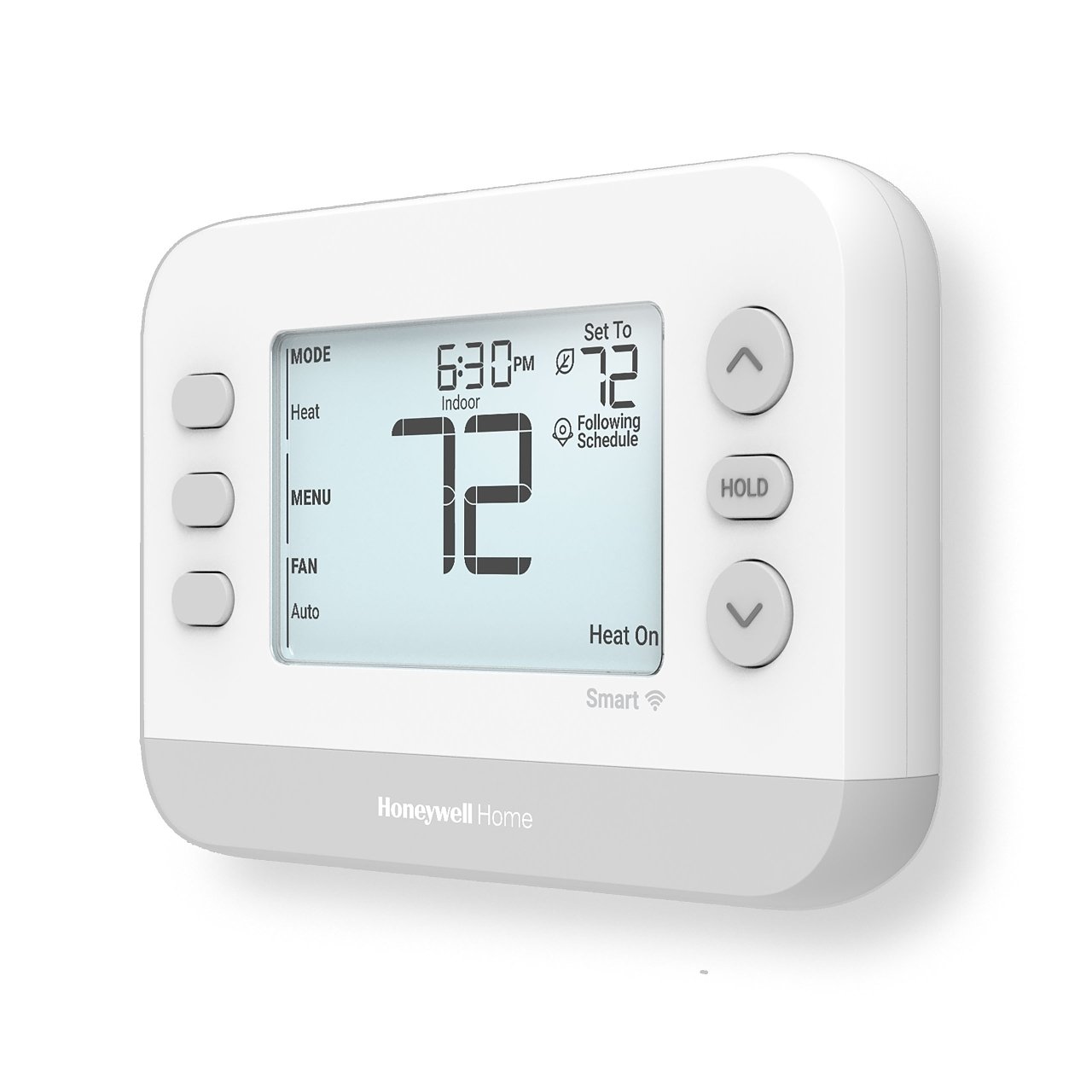
Honeywell offers many thermostat models. These devices can control home heating and cooling. Some models work with Google Home for voice control.
Knowing which models connect with Google Home helps you choose the right thermostat. This guide covers popular models and key features.
Popular Compatible Models
Several Honeywell thermostats work well with Google Home. These include smart models with Wi-Fi and app control.
- Honeywell Home T9 Smart Thermostat
- Honeywell Home T10 Pro Smart Thermostat
- Honeywell Lyric T5 Wi-Fi Thermostat
- Honeywell Lyric Round Smart Thermostat
- Honeywell Home RCHT8610WF Thermostat
These models allow you to control temperature using voice commands. You can ask Google Assistant to adjust settings or check the current temperature.
Features To Look For
When choosing a Honeywell thermostat, check these features for Google Home compatibility and ease of use.
| Feature | Description | Importance |
| Wi-Fi Connectivity | Connects thermostat to the internet | Required for Google Home control |
| Voice Assistant Support | Works with Google Assistant for voice commands | Essential for hands-free use |
| Smartphone App | Allows remote control and scheduling | Useful for managing settings anywhere |
| Geofencing | Adjusts temperature based on your location | Improves energy savings |
| Compatibility with HVAC Systems | Works with your home heating and cooling system | Ensures proper operation |

Credit: lahvaclc.com
Google Home Compatibility
Many people want to control their Honeywell thermostat with Google Home. This makes managing home temperature easy.
Connecting the Honeywell thermostat to Google Home lets you use voice commands. You can adjust settings hands-free.
Supported Devices
Not all Honeywell thermostats work with Google Home. Only certain models support this feature.
- Honeywell Home T9 Smart Thermostat
- Honeywell Home T10 Pro Smart Thermostat
- Lyric T5 Wi-Fi Thermostat
- Honeywell Wi-Fi Smart Thermostat RTH9585WF
- Honeywell Wi-Fi Smart Color Thermostat RTH9580WF
Make sure your Honeywell device is listed to use Google Home voice control.
System Requirements
You need a stable Wi-Fi connection to connect Honeywell thermostat with Google Home. Both devices must be on the same network.
Use the Google Home app on your smartphone for setup. Your phone should run Android 6.0 or iOS 12.0 and above.
- Wi-Fi network with 2.4 GHz or 5 GHz support
- Google Home or Google Nest speaker/device
- Latest Google Home app installed
- Compatible Honeywell thermostat
- Smartphone running Android 6.0+ or iOS 12.0+
Setting Up Honeywell Thermostat With Google Home
Connecting your Honeywell thermostat to Google Home lets you control temperature by voice. This guide helps you set up both devices together easily.
Follow simple steps to link your thermostat with Google Home. This makes managing your home's heating and cooling more convenient.
Preparing Your Devices
Make sure both your Honeywell thermostat and Google Home are ready before connecting. Check they have the latest software updates and strong Wi-Fi signals.
- Confirm your Honeywell thermostat is Wi-Fi enabled
- Ensure your Google Home device is set up and online
- Connect both devices to the same Wi-Fi network
- Have your Google Home app installed on your phone
- Create or sign in to your Honeywell account
Step-by-step Connection Process
Link your Honeywell thermostat to Google Home using the Google Home app. The process takes only a few minutes.
- Open the Google Home app on your phone
- Tap the "+" icon to add a new device
- Select "Set up device" then "Works with Google"
- Search for "Honeywell Home" and select it
- Log in with your Honeywell account credentials
- Choose your thermostat from the list of devices
- Follow prompts to complete linking
- Test voice commands to confirm connection
Troubleshooting Common Issues
If your Honeywell thermostat does not connect to Google Home, try these fixes. These tips solve most problems quickly.
- Restart your thermostat and Google Home device
- Check that both devices use the same Wi-Fi network
- Update the Google Home and Honeywell apps
- Re-enter your Honeywell account login details
- Reset the thermostat’s network settings if needed
- Ensure your Google Home device supports your thermostat model
- Contact Honeywell support if problems persist

Credit: www.reddit.com
Using Voice Commands
Connecting a Honeywell thermostat to Google Home lets you control it by voice. You can adjust settings without touching the device. This makes managing your home's temperature easier and faster.
Google Home understands many commands for your Honeywell thermostat. Learn the basic and advanced commands to get the most from your voice assistant. Follow some tips for a smooth experience.
Basic Commands
Use these simple commands to control your Honeywell thermostat with Google Home. They help you check and change the temperature quickly.
- “Hey Google, set the thermostat to 72 degrees.”
- “Hey Google, increase the temperature by 2 degrees.”
- “Hey Google, what is the thermostat set to?”
- “Hey Google, turn on the heat.”
- “Hey Google, switch to cooling mode.”
Advanced Controls
More detailed commands let you control your thermostat’s schedule and settings. Use these to manage your home’s comfort better.
| Command | Function |
| “Set thermostat to away mode.” | Lowers energy use when no one is home. |
| “Schedule thermostat for 70 degrees at 7 AM.” | Sets temperature at a specific time. |
| “What is the current humidity level?” | Checks the humidity if your thermostat supports it. |
| “Turn off the thermostat.” | Stops all heating and cooling. |
Tips For Better Experience
Follow these tips to make voice control work well with your Honeywell thermostat and Google Home.
- Place Google Home where it hears you clearly.
- Use simple, clear commands for better recognition.
- Keep your thermostat and Google Home software updated.
- Link your Honeywell account correctly in the Google Home app.
- Test commands to see what works best for your setup.
Benefits Of Integration
Connecting a Honeywell thermostat to Google Home offers many benefits. It makes managing home temperature easier and smarter.
This integration helps in saving energy and provides convenience. It also enhances automation features in your home.
Energy Efficiency
Using Google Home with your Honeywell thermostat can save energy. It allows for better control of heating and cooling.
You can adjust the thermostat with voice commands. This ensures your home uses energy only when needed.
- Reduce energy waste with smart schedules
- Monitor energy use with easy-to-read reports
- Set energy-saving temperatures while away
Convenience And Automation
Integration with Google Home brings great convenience. You can control the thermostat without touching it.
Automate routines for different times of the day. This makes your home more comfortable and efficient.
| Feature | Benefit |
| Voice Control | Hands-free temperature adjustment |
| Routine Setup | Automatic temperature changes |
| Remote Access | Control from anywhere via phone |

Credit: www.pcmag.com
Alternative Smart Thermostats
Not all Honeywell thermostats work with Google Home. Some models do, but others do not connect well. If you want a smart thermostat that works easily with Google Home, you can explore other brands.
This guide looks at some alternative thermostats. It also compares their features and prices to help you choose the best option for your home.
Other Brands Compatible With Google Home
Many smart thermostat brands work well with Google Home. These brands offer easy setup and voice control through Google Assistant. Some popular options include Nest, Ecobee, and Emerson.
- Nest Thermostat:Known for its sleek design and learning features.
- Ecobee SmartThermostat:Comes with a built-in Alexa speaker and remote sensors.
- Emerson Sensi:Offers simple installation and good app controls.
- Google Nest Thermostat E:A budget-friendly option from Google.
Comparing Features And Prices
Each smart thermostat has different features and price points. Some focus on energy savings. Others offer advanced voice controls or remote sensors.
| Brand | Price Range | Key Features | Google Home Compatible |
| Nest Thermostat | $130 - $250 | Auto-schedule, remote control, energy reports | Yes |
| Ecobee SmartThermostat | $190 - $250 | Voice control, room sensors, Alexa built-in | Yes |
| Emerson Sensi | $100 - $150 | Easy installation, geofencing, alerts | Yes |
| Google Nest Thermostat E | $120 | Simple design, voice control, energy saving | Yes |
Frequently Asked Questions
Can Honeywell Thermostat Connect With Google Home?
Yes, many Honeywell thermostats are compatible with Google Home. You can control temperature using voice commands through Google Assistant. Ensure your Honeywell model supports smart home integrations and is connected to the same Wi-Fi network as Google Home.
How To Link Honeywell Thermostat To Google Home?
Open the Google Home app, tap “Add,” then “Set up device. ” Choose Honeywell from the list, sign in, and follow the prompts to link your thermostat. This allows seamless voice control and remote temperature management.
Which Honeywell Thermostats Work With Google Home?
Most Honeywell smart thermostats like Lyric, T9, and T10 Pro support Google Home. Check product specifications for compatibility to ensure smooth integration and voice control features.
Can I Control Honeywell Thermostat Remotely Via Google Home?
Yes, once linked, you can adjust your Honeywell thermostat from anywhere using Google Home app or voice commands. This feature offers convenience and energy savings by managing climate remotely.
Conclusion
Honeywell thermostats work well with Google Home devices. You can control your home's temperature using voice commands. Setting up the connection is simple and takes only a few steps. This pairing adds convenience and saves energy. It helps keep your home comfortable all day.
Smart home fans will find this integration useful. Try it to enjoy easier temperature control today.