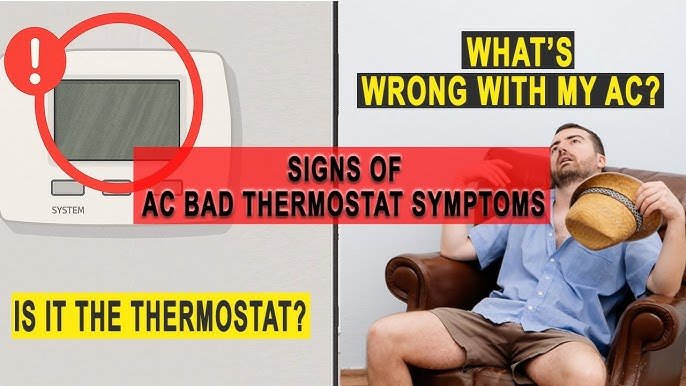
Have you ever wondered if your home thermostat can go bad? You rely on it every day to keep your home comfortable, but what happens when it stops working right?
A faulty thermostat can lead to uneven temperatures, higher energy bills, or even a complete loss of heating or cooling. Understanding the signs of a bad thermostat can save you time, money, and frustration. Keep reading to find out how to spot the warning signals and what you can do to fix or replace your thermostat before it causes bigger problems.

Credit: www.reddit.com
How Thermostats Work
A thermostat controls the temperature inside your home. It turns heating or cooling systems on and off to keep the air comfortable.
Thermostats sense the current temperature and compare it to the setting you choose. They then send signals to adjust the temperature.
Basic Thermostat Functions
A thermostat has simple tasks that help keep your home comfortable. It measures temperature and controls heating or cooling.
It can turn systems on or off based on the temperature set by the user. Some thermostats can also schedule temperature changes.
- Measure room temperature
- Compare room temperature to the set point
- Turn heating or cooling on or off
- Allow users to set temperature
- Some models schedule temperature changes
Types Of Home Thermostats
There are different types of thermostats for homes. They vary in how they work and what features they offer.
Some types are simple and basic. Others are smart and can connect to Wi-Fi for remote control.
- Manual Thermostats:Use a dial or slider to set temperature manually.
- Programmable Thermostats:Allow you to set schedules for heating and cooling.
- Smart Thermostats:Connect to Wi-Fi and can be controlled with apps or voice.
- Digital Thermostats:Show temperature on a screen and have easy buttons.

Credit: www.georgiaairrepair.com
Common Signs Of A Failing Thermostat
A thermostat controls your home's temperature and comfort. If it fails, your heating or cooling may not work well.
Recognizing the signs of a failing thermostat can save you time and money on repairs.
Inconsistent Temperature Control
Your home feels too hot or too cold even when the thermostat is set correctly. The temperature does not stay steady.
This happens because the thermostat cannot read the room temperature properly or fails to send correct signals to the HVAC system.
Unresponsive Display Or Controls
The thermostat’s screen may go blank or freeze. Buttons and touch controls stop working or respond slowly.
These issues can occur if the thermostat’s batteries are low or the device has internal electrical problems.
Frequent Cycling Of Hvac System
The heating or cooling system turns on and off too often. This can waste energy and cause wear on equipment.
A failing thermostat may send wrong signals, causing the HVAC to start or stop at the wrong times.
Unexpected Heating Or Cooling
Your home heats or cools when you did not set the thermostat to do so. The system runs at odd times or wrong temperatures.
This problem can happen if the thermostat’s programming is corrupted or if it has a hardware fault.
Thermostat Not Turning On
The thermostat does not power up at all. The screen stays dark and no buttons work.
This is often caused by dead batteries, a blown fuse, or a serious internal failure in the thermostat.
Causes Behind Thermostat Malfunctions
Thermostats control the temperature inside your home. Sometimes they stop working right. This can cause heating or cooling problems.
Knowing why a thermostat goes bad helps you fix it or call for help. Several common causes can lead to thermostat malfunctions.
Worn Out Components
Thermostats have parts that wear out over time. Mechanical parts like switches and sensors can fail. This happens from long use or dust buildup.
Worn components may cause the thermostat to give wrong temperature readings or stop working. Cleaning or replacing parts may be needed.
Battery Issues
Many thermostats use batteries to run. Dead or weak batteries can cause the thermostat to lose power. This stops it from working properly.
Battery problems can cause the display to go blank or settings to reset. Checking and changing batteries often helps fix this.
Wiring Problems
Thermostats connect to your heating and cooling system with wires. Loose or damaged wires can stop signals from reaching the system.
Wiring issues may cause the system to not turn on or off as expected. Inspecting and fixing wiring can restore proper function.
Software Glitches
Smart thermostats use software to control settings. Sometimes the software can have bugs or errors. This causes the thermostat to act strangely.
Software glitches may cause wrong temperature readings or failure to connect to Wi-Fi. Restarting or updating the software can help.

Credit: www.reddit.com
Testing Your Thermostat At Home
Your thermostat controls your home's temperature. It can stop working well over time.
Testing your thermostat helps you find problems early. This can save money and keep you comfortable.
Manual Temperature Checks
Check if the thermostat shows the correct temperature. Use a separate thermometer to compare.
If the temperatures differ by more than a few degrees, your thermostat may need attention.
- Place a thermometer near the thermostat
- Wait 5 minutes and note the temperature
- Compare thermometer reading with thermostat display
Resetting The Thermostat
Resetting can fix small software glitches. This often helps the thermostat work correctly again.
Find the reset button or switch on your thermostat. Hold it for a few seconds to restart the device.
- Turn off the thermostat power first
- Press and hold the reset button for 5 seconds
- Wait for the thermostat to restart
- Set your temperature again
Checking Battery And Wiring
Some thermostats use batteries. Dead batteries can cause the device to stop working.
Check wiring if your thermostat is wired. Loose or damaged wires can cause errors.
- Open the thermostat cover carefully
- Look for battery type and replace if low
- Inspect wires for loose or broken connections
- Secure any loose wires properly
When To Repair Or Replace
Home thermostats control your heating and cooling systems. They may stop working well over time. It is important to know when to fix or change them.
Some thermostat problems can be repaired. Others need a full replacement. This guide helps you decide what to do.
Cost Considerations
Repairing a thermostat usually costs less than replacing it. Small fixes might save money if the unit is new. Older units may need replacement.
Replacing a broken thermostat can be an investment. New thermostats work better and can lower energy bills. Think about long-term savings.
- Repair costs vary by issue and model
- Replacement costs include device and installation
- Old thermostats may use more energy
- New models often have better features
Upgrading To Smart Thermostats
Smart thermostats let you control temperature from your phone. They can learn your schedule and save energy. Upgrading can improve comfort and reduce bills.
These devices often have features like voice control and remote access. You may want to replace old thermostats with smart ones for better control.
- Remote temperature control
- Energy use tracking
- Automatic scheduling
- Compatibility with home assistants
Professional Inspection Tips
Have a professional check your thermostat if it acts strange. They can spot wiring or sensor problems. Regular inspections help avoid big failures.
Experts can advise if repair or replacement is best. They also ensure proper installation for safety and performance.
- Check thermostat wiring and connections
- Test temperature accuracy
- Inspect sensors and batteries
- Evaluate compatibility with HVAC system
Maintaining Your Thermostat For Longevity
Your home thermostat is key to comfort and energy efficiency. Keeping it in top shape ensures that it works well for years. This guide will help you understand how to maintain your thermostat effectively.
Proper care involves regular cleaning, timely battery replacement, and updating the software. These steps help prevent issues and extend the life of your thermostat.
Regular Cleaning
Dust and dirt can affect your thermostat's performance. Cleaning it regularly keeps it accurate and efficient.
- Turn off the thermostat before cleaning.
- Use a soft brush to remove dust from the vents.
- Wipe the screen with a damp cloth gently.
Battery Replacement Schedule
Replacing the batteries on time is crucial. It prevents unexpected shutdowns and keeps your thermostat running smoothly.
| Battery Type | Replacement Frequency |
| AA | Once a year |
| AAA | Every six months |
| Button Cell | Once a year |
Software Updates
Software updates ensure your thermostat has the latest features and security patches. Keeping the software up-to-date can improve functionality.
Frequently Asked Questions
Can A Home Thermostat Stop Working Suddenly?
Yes, a home thermostat can stop working suddenly due to battery failure, wiring issues, or internal malfunctions. Regular maintenance helps prevent unexpected breakdowns.
What Are Common Signs A Thermostat Is Failing?
Common signs include inaccurate temperature readings, frequent cycling, unresponsive controls, and inconsistent heating or cooling performance. These signs indicate the need for repair or replacement.
How Often Should I Replace My Home Thermostat?
Thermostats typically last 10-15 years. Replace yours if it shows frequent errors, poor responsiveness, or if new technology offers better energy savings.
Can A Bad Thermostat Affect My Energy Bills?
Yes, a malfunctioning thermostat can cause your system to run inefficiently, increasing energy consumption and raising your bills unnecessarily.
Conclusion
A home thermostat can wear out over time. Signs like uneven temperatures or no response often mean trouble. Regular checks help catch problems early. Replacing a bad thermostat saves energy and money. Don’t ignore strange behavior from your thermostat. Fixing or changing it keeps your home comfortable.
Small issues can turn into big ones fast. Stay alert to keep your heating and cooling working well. A working thermostat makes your home cozy all year. Simple care goes a long way.